Send a Tip to a Member
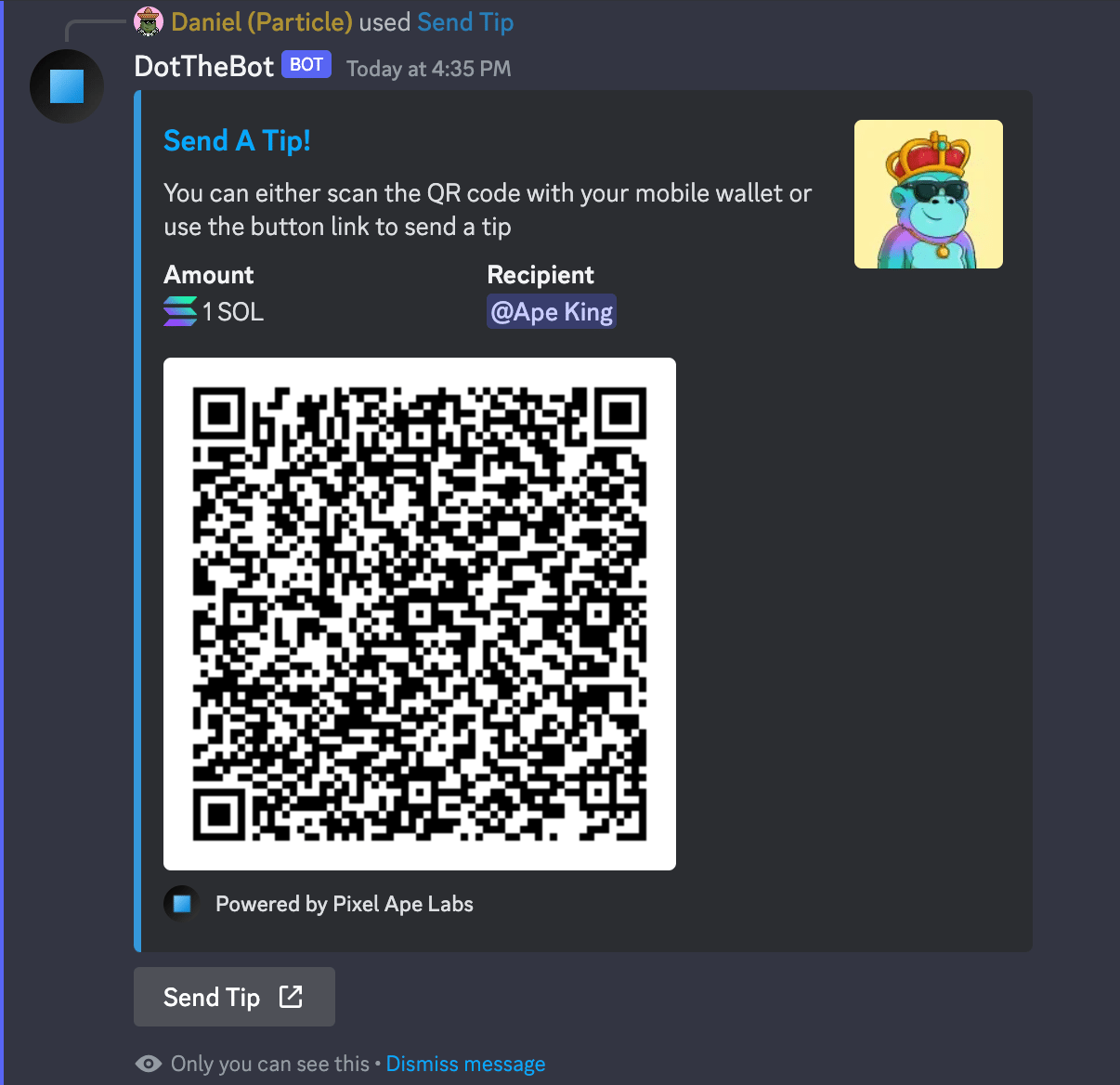
This command will allow you to send a tip to a member without having to know their wallet address. You will be presented with both a QR code that can be scanned with your mobile wallet and a link that can be used on either mobile or desktop to send the tip with your wallet of choice.
info
Default Permissions: Everyone
Command Type: User Command
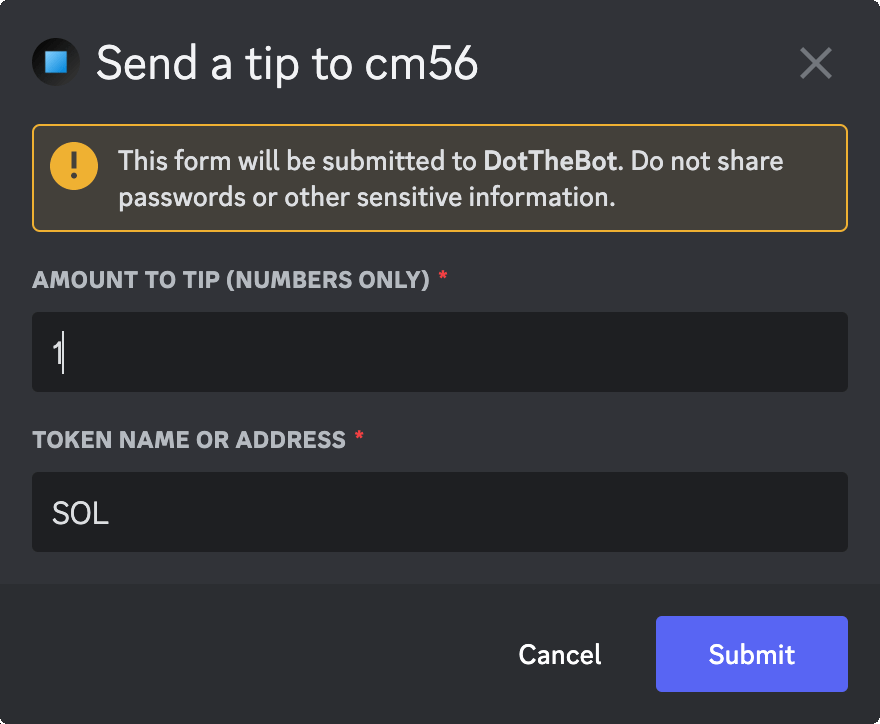
Modal Fields
- Amount - A number amount that you want to send
- Token - The name or token address of what to send (eg. SOL, UDSC, etc)
Usage Example
- Right-click on a member.
- Select Apps
- Select Send Tip
- You will be presented with a form dialog.
- Fill in the Amount To Tip
- Fill in the Token Name or Address
- Submit the form
Screenshots